
PorchLight turns your neighborhood walk-throughs into a clean, consistent record. Map your community, inspect each home from the curb, capture photos, and review it all from one board dashboard.
Built for iPad and phone in the field. Works just as well on a laptop at the board meeting.
Fair, consistent, documented. Every home, every cycle — the record your board can stand behind.
Drop every home onto a satellite map of your neighborhood, or import a spreadsheet. PorchLight flags any home that's already on your list, and you can add, remove, restore or permanently delete addresses any time.
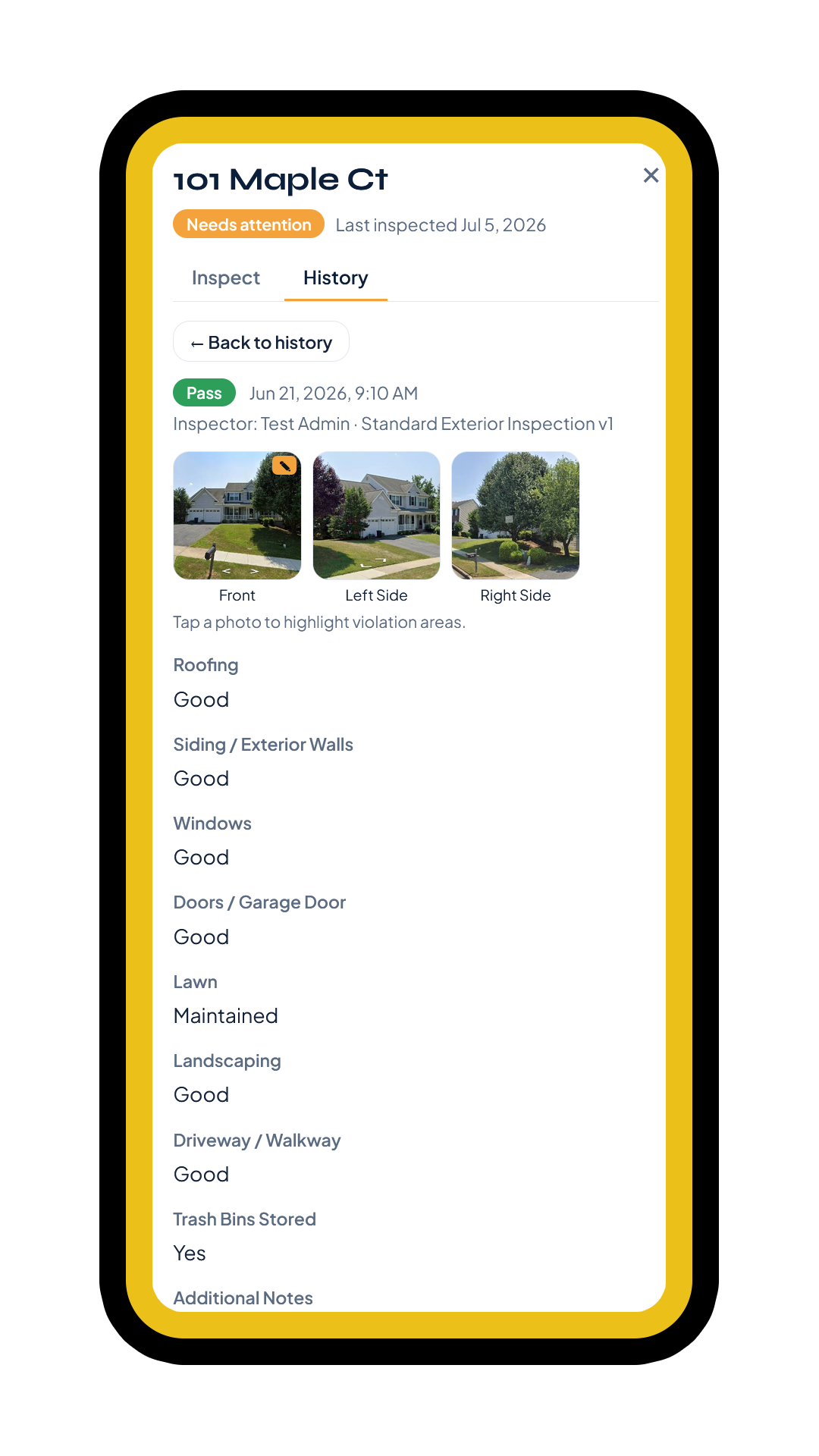
Tap a home, photograph the front and sides, and fill out your community's own inspection form — roofing, siding, lawn, driveway, and anything else you track.
The board sees the whole street at a glance: who's passing, who needs attention, open violations, and the full history behind every home.
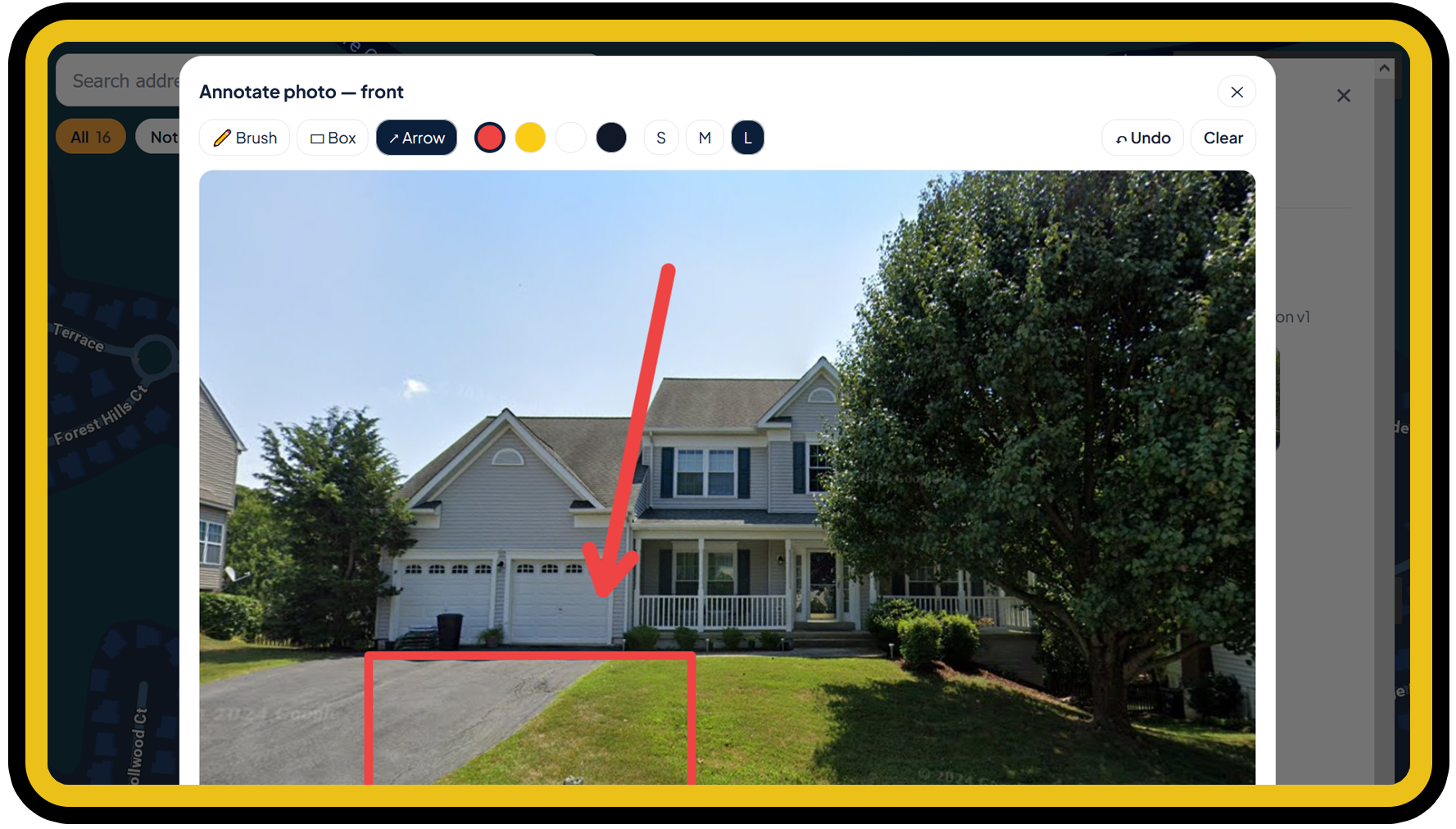
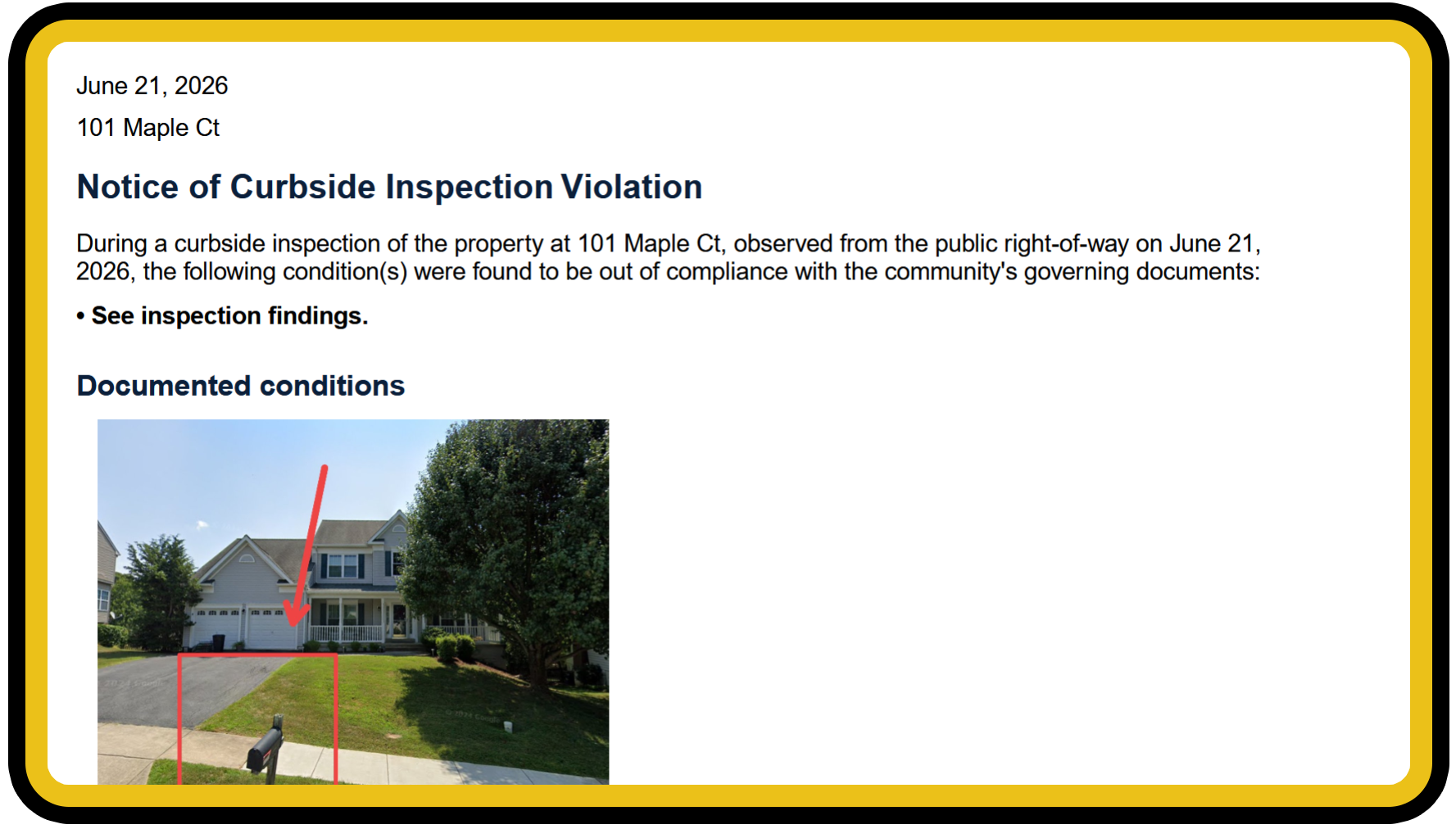
No mock-ups — these are live PorchLight screens: the community map, a curbside inspection, on-photo annotation, and the violation notice it generates.
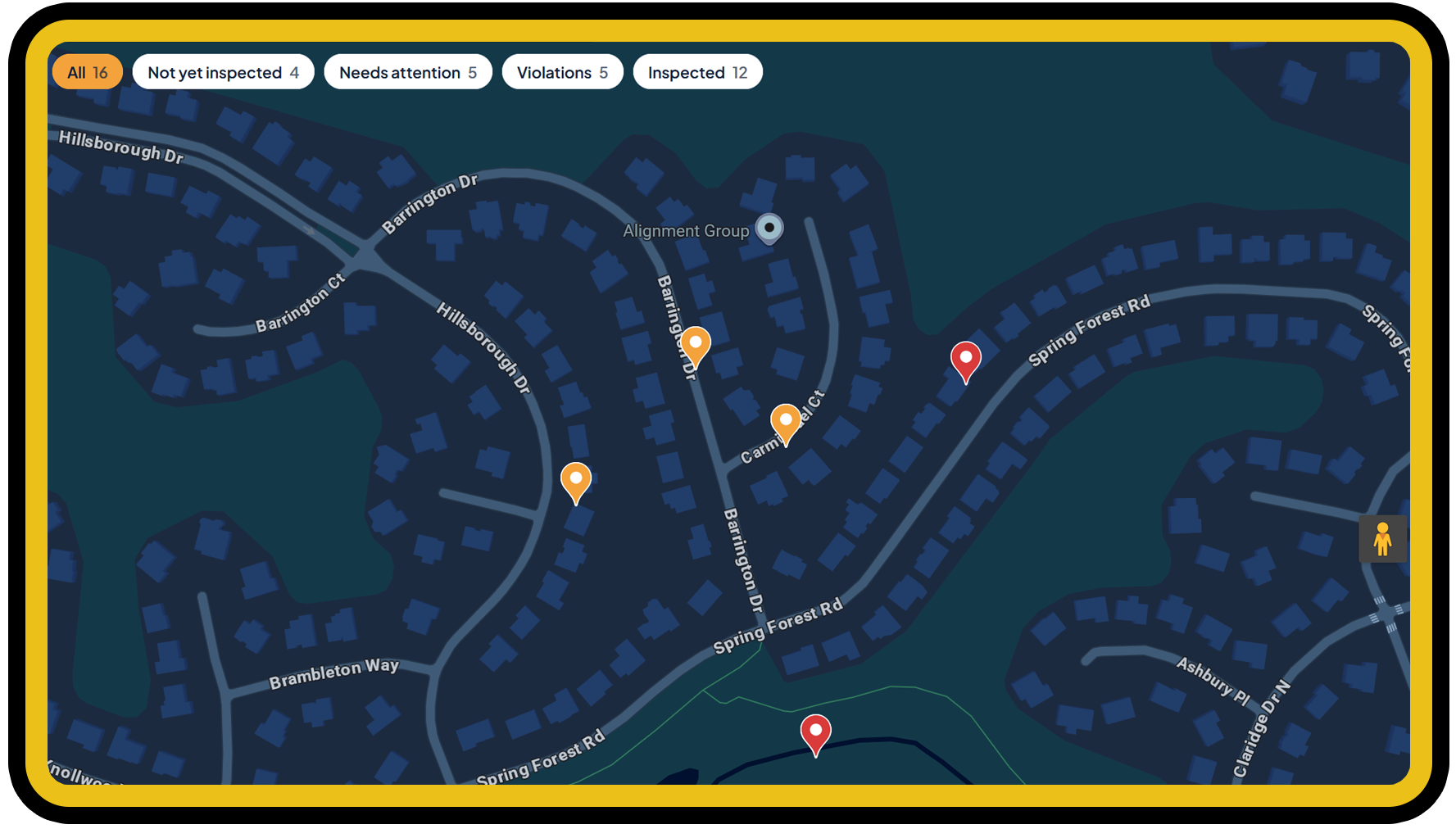
An overhead, satellite-view map of your neighborhood with every home color-coded by its latest inspection status.
Build the exact checklist your by-laws call for — custom categories, dropdowns, and notes. No two HOAs inspect the same way.
Capture a dated photo record of each home straight from your iPad or phone — left, front, right and mailbox, plus up to three extra shots for anything else you spot. All attached to the inspection automatically.
Coverage this cycle, open violations, repeat issues, and trends over time — the full picture in one place.
Keep inspecting when the signal drops. Forms and photos queue up and sync the moment you're back online.
Automatically email homeowners their inspection results and reminders — branded to your community, with no mail-merge required.
Reach homeowners where they'll actually see it. Opted-in residents get inspection and property notices by text, sent straight from PorchLight. Homeowner sign-up → Poster & QR for your community →
Turn a flagged inspection into a clean, branded notice — with the by-law citation, annotated photos, and your signature — ready to mail, email, or send as a private, expiring link.
Homeowners opt in to texts themselves through a consent page we host and log for you — keeping your board on the right side of SMS rules.
Snap a photo or upload a PDF of your governing documents and PorchLight reads them into a tidy, citable by-law library — so the right rule is one click away on every notice. No retyping.
Add your HOA's logo and every inspection report and violation notice comes out looking like it's from your community — not a generic template.
Circle the peeling paint or the overgrown lawn right on the photo. Your markups carry onto the violation notice, so homeowners see exactly what you saw.
Every notice prints a QR code. The homeowner scans it, sends photos of the fix, asks for more time, or disputes it — no account, no app, no phone tag. The board reviews and clears the home in one tap.
Send a friendly Warning of Violation before anything formal — same branding and by-law citation, but it carries no penalty and says so plainly. Most neighbors fix it right there.
Not every drive-by needs the full form. Check just the handful of things that change week to week — you pick which — and spot-checked homes stand out on the map in their own color.
Download everything — homes, inspections, notices, homeowner responses and every photo — as one archive, any time. Spreadsheets you can open in Excel, files you can keep, and a full restore if you ever come back. No lock-in, and it keeps working even if you cancel.
Save your signature a single time and it's applied to the violation notices you send — no printing, scanning, or wet ink.
Try to add a home that's already there — even spelled differently — and PorchLight tells you, offering to bring back a removed home with its history instead. Re-importing a spreadsheet skips the homes you already have. Removed homes stay out of sight until you want them, and can be deleted for good.
Each home glows with its latest status, so the board can read the whole community in a single look — and zoom straight to the homes that need attention.
One plan, all your board members, unlimited inspections. Priced by the size of your neighborhood.
Every plan includes unlimited email notifications; text overage is $0.02 each beyond the included amount. Annual plans are paid once upfront and include two months free. Founding-community, volume, and multi-community pricing available on request.
Residents point a phone camera at this code and sign themselves up for text notifications from your board — inspection results, reminders and property notices. No app to install, and nothing for the board to key in by hand.
Post it in the clubhouse, drop it in a newsletter, or hand it out at the annual meeting. This code works for any community — residents enter their HOA name as they sign up, and their consent is logged for you automatically. Already a PorchLight community? Your board can generate its own code from inside PorchLight, with your community name already filled in, so residents don’t type it at all.

Every observation is recorded from the public street, time-stamped, and photographed. When a homeowner asks why, the board has a clear, even-handed record for every home in the community — not a memory or a hunch.
See PorchLight running on a real neighborhood, or set up your own community.
